
Before we provide you with the step by step instructions to download an audio file, please read this tech assist note.
TECH ASSIST: If you're not familiar with where your documents are stored, before you click save be sure to make note of the file name so you can search for it after it has been saved.
You get to choose where you save your files, no two devices are the same, so we cannot provide specific instructions on where you already save your files. You may want to create a folder for all of your Art of Relationship (AOR) files to keep them together.
People typically have a general folder they save files into, then within that folder they create sub-folders. For example you could create a folder named THEO, then within that folder you could create a subfolder named AOR and save all of the program files within it to keep them organized. For more information about file structure and where to save your files, you can search online or connect with your local tech support.
Download using Safari
When you click the download button to download an audio file, it will take you to a black screen with a small play bar and the audio starts playing. You can listen to the audio from here. We recommend you download it to your device so you can access it any time you want for your personal use.
You can use Apple's QuickTime or Apple Music software to play the file or an alternate 3rd party MP3 player.
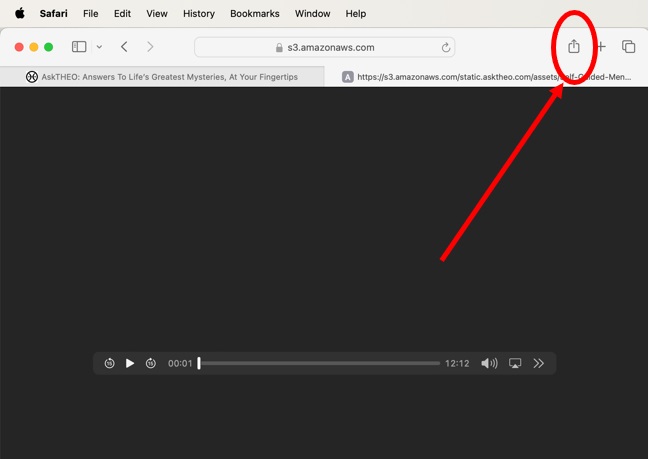
Click download icon in upper right hand corner
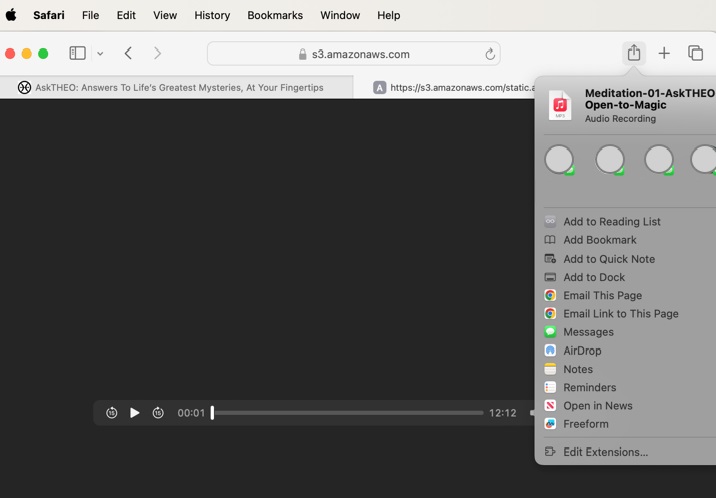
Choose where you want to save the file (make note of file name)
Download using Google Chrome
(PC, Mac, Andriod)
When you click the download button to download an audio file, it will take you to a black screen with a small play bar and the audio starts playing. You can listen to the audio from here. We recommend you download it to your device so you can access it any time you want for your personal use.
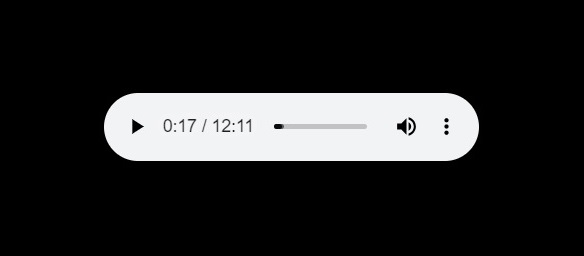
Audio bar left click 3 dots
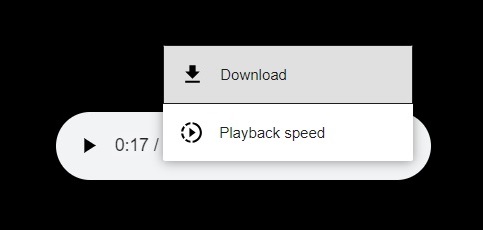
Left click download option
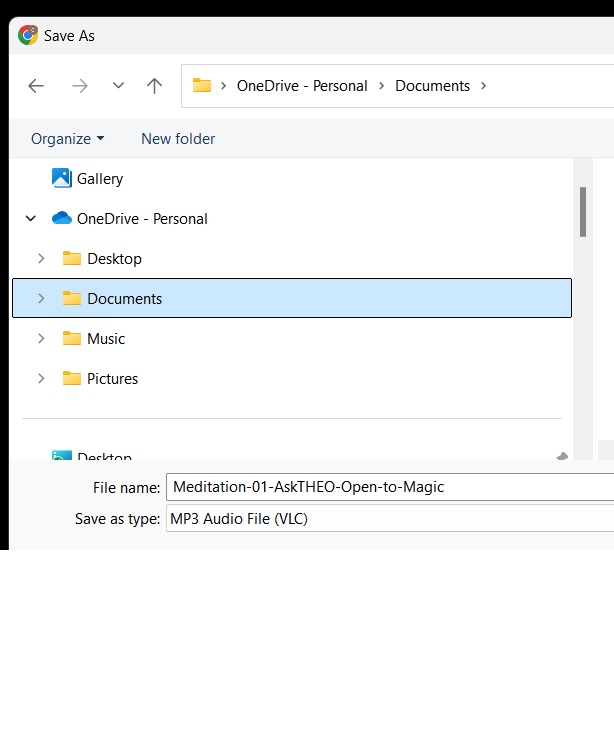
Choose where you want to save the file.
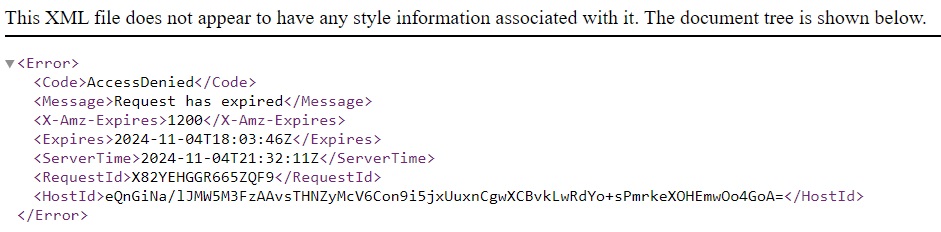
ERROR - Access Denied
If you received the access denied error message below it is because your session timed out. You have 20 minutes to download the file, which should be more than enough time. To access the file, please go back to the page you clicked the button/link to download the file and start again. Note: If you've left your computer idle without accessing the AskTHEO website for some time, you may have to log back into AskTHEO.com, navigate to the download page and try again.

Hi Vandhana, Can you please tell me if this works for you to download the file?
Right-click on the download link or Control-click on the object you want to download:
Go to the Safari app
Click the download link or Control-click on the object
Select Download Linked File
You can also right-click on a Mac by tapping the trackpad with two fingers. If you're using a mouse, you can right-click by holding down the Control key while clicking.